I recently released DRAWX, a desktop app built with Tauri v2 and Vite + React. Tauri v2 is a Rust-based framework for building cross-platform desktop applications. Many Tauri projects already have CI set up (for example, through CrabNebula Cloud), but publishing to the Microsoft Store is a different process.
This guide walks through the steps to publish a Tauriv2 app to the Microsoft Store.
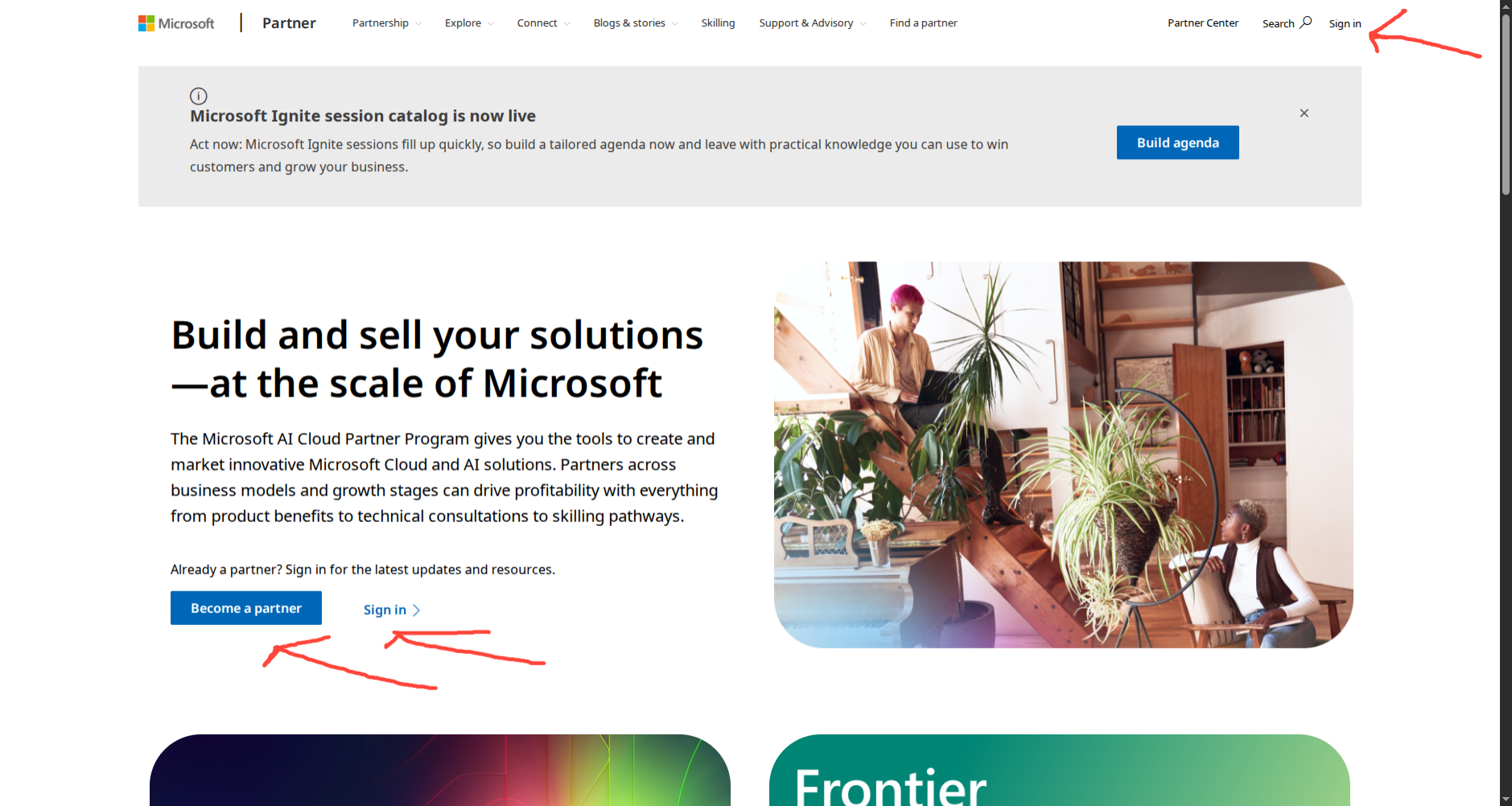
Start with Microsoft Partner Center: https://partner.microsoft.com/en-US/
1. Sign in to Partner Center
Sign in to your Partner Center account, or create one if you do not have one yet.
2. Understand code signing
If you plan to publish desktop binaries, you need to understand code signing. Code-signing certificates come from trusted certificate authorities, and they usually cost money. You cannot create your own trusted certificate and expect Windows or users to trust it in the same way.
These pages explain code signing and certificate options:
- What is a code signing certificate? (GlobalSign)
- Code signing certificates (DigiCert)
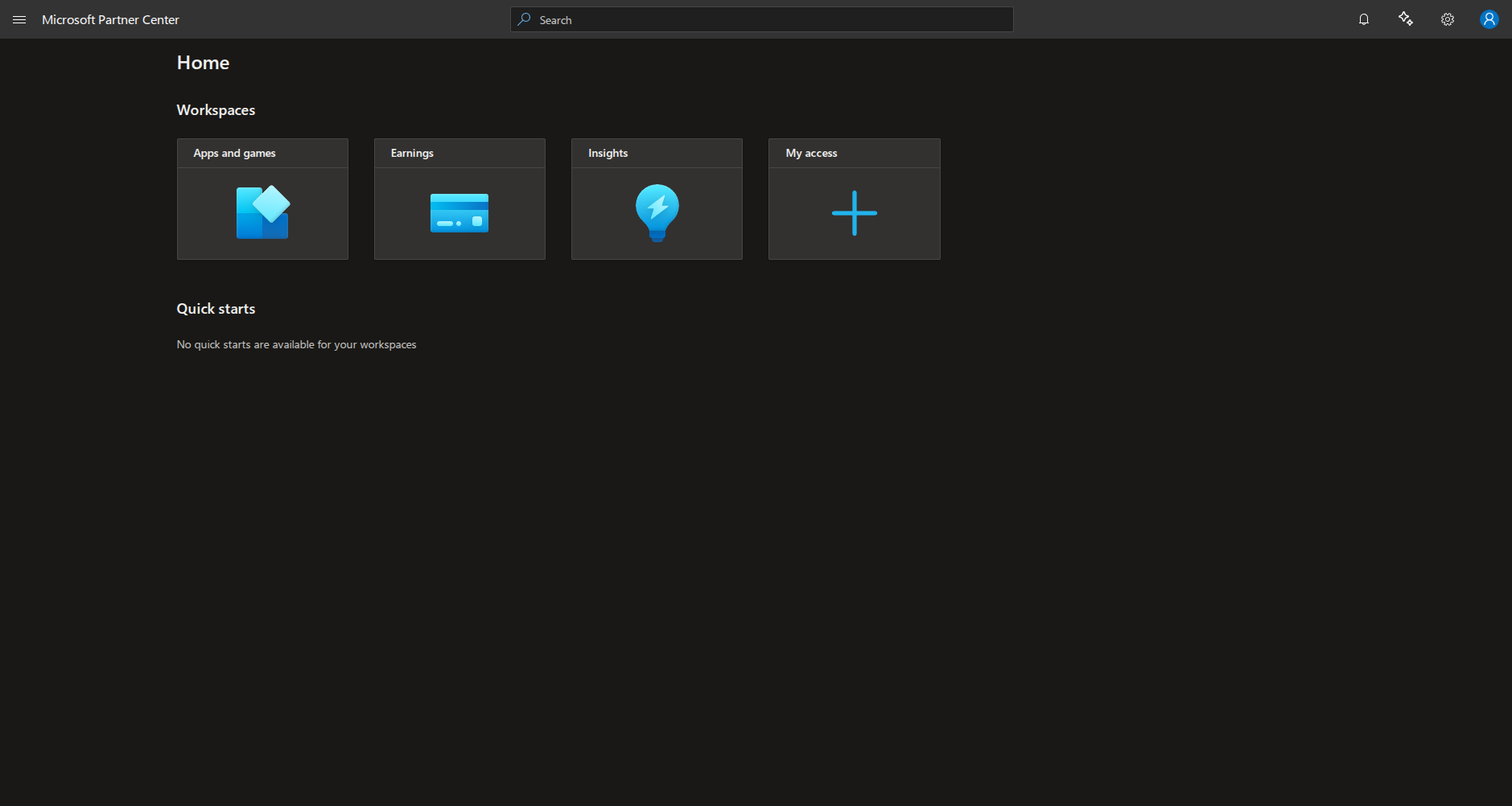
- Partner Center dashboard
3. Reserve your app name
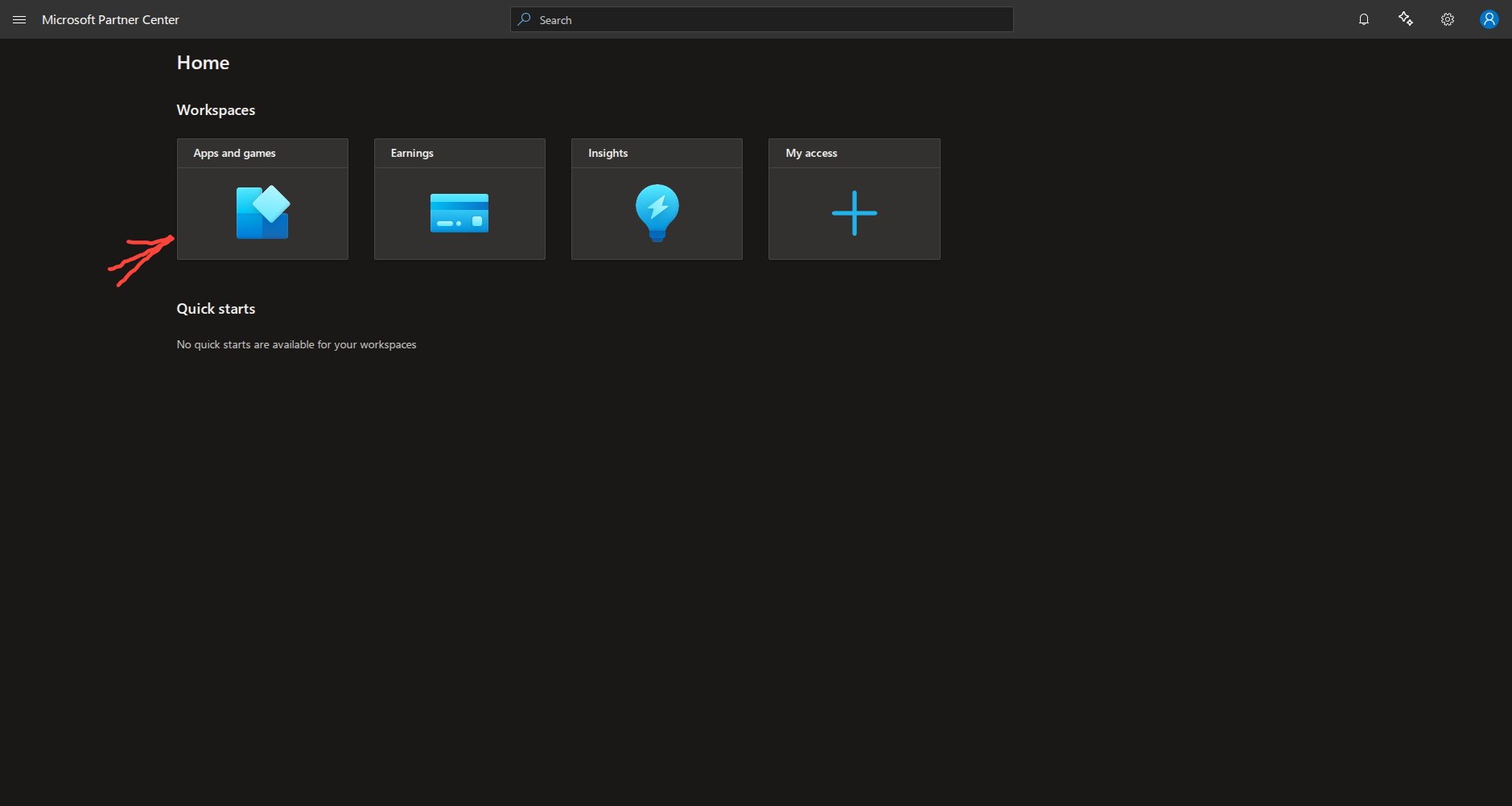
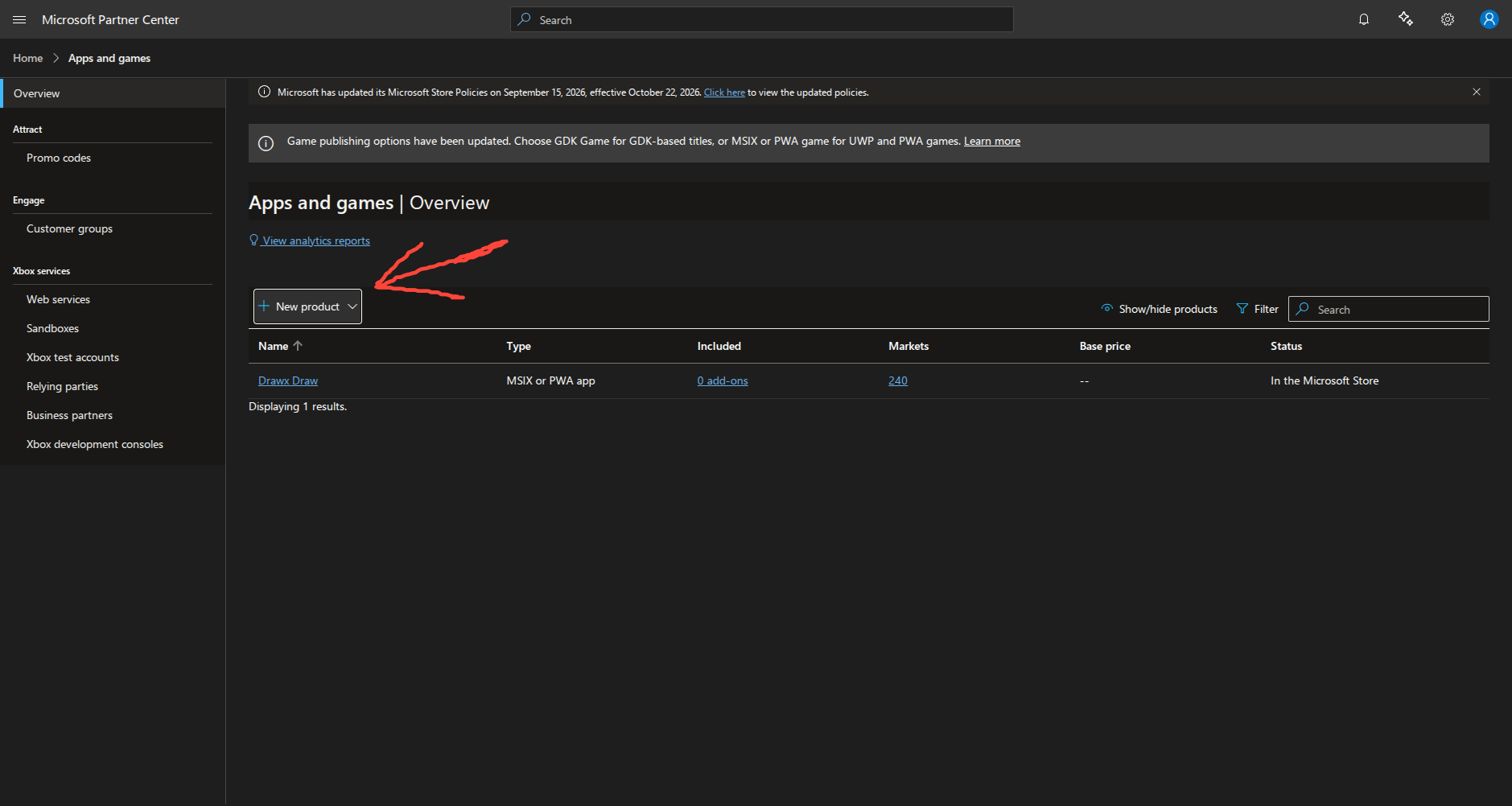
In Partner Center, reserve the name you want to use for your app.
4. Get a code-signing certificate (if needed)
If you publish .exe or .msi installers outside the Store signing flow, you need your own code-signing certificate:
5. Use Microsoft Store signing with MSIX
Microsoft can sign your package when you submit it to the Store, but your package must be in .msix or .appx format.
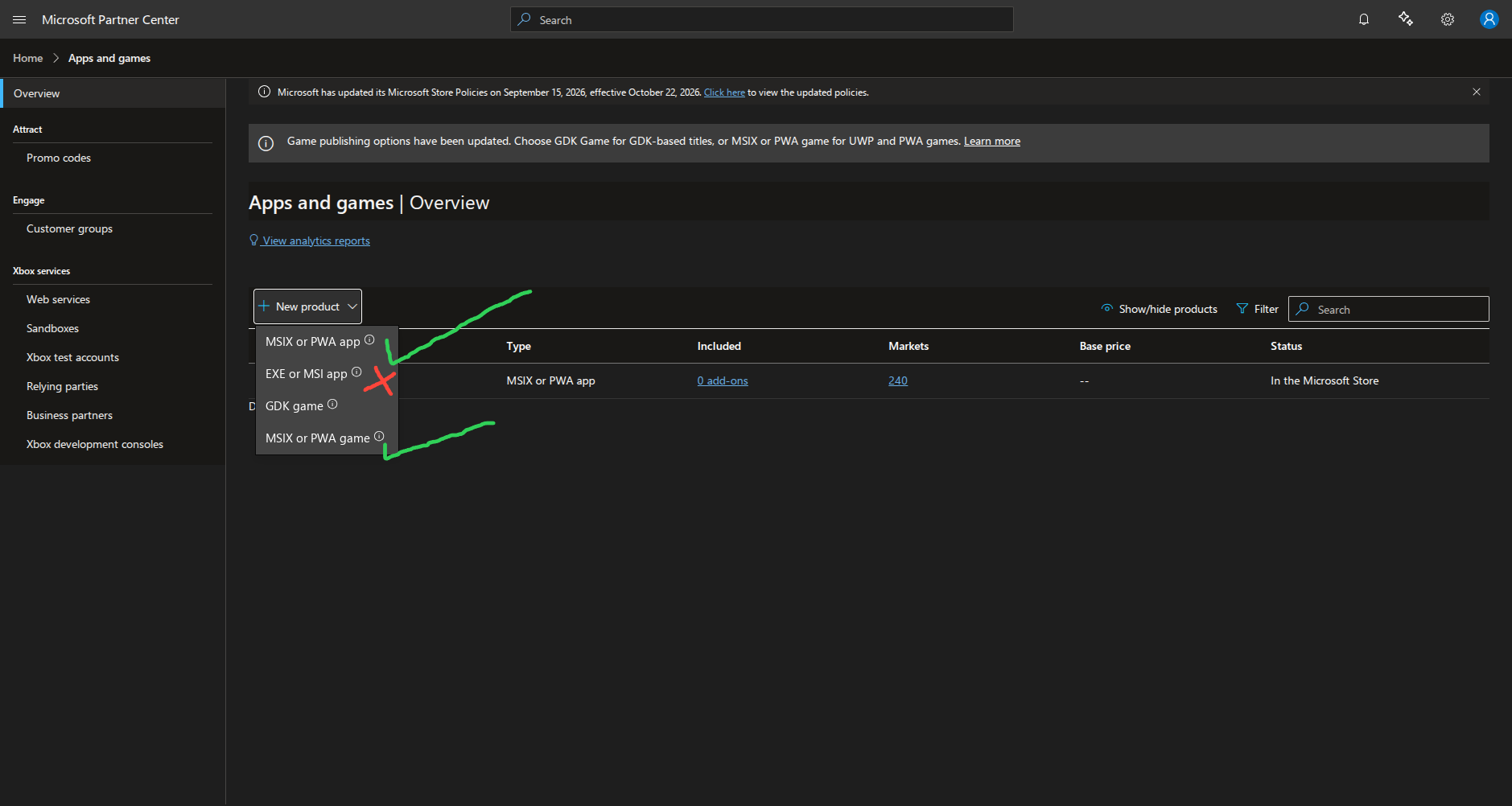
6. Example GitHub Actions workflow (MSI to MSIX)
name: Build MSIX

on:
  workflow_dispatch:

permissions:
  contents: write
  id-token: write
  packages: write
  actions: write

jobs:
  msix:
    name: MSI -> MSIX
    runs-on: windows-latest
    timeout-minutes: 60
    steps:
      - name: Checkout
        uses: actions/checkout@v7

      - name: Setup Bun
        uses: oven-sh/setup-bun@v2
        with:
          bun-version: "1.4.1"

      - name: Install Rust
        uses: dtolnay/rust-toolchain@stable

      - name: Cache Rust
        uses: Swatinem/rust-cache@v2
        with:
          workspaces: "./src-tauri -> target"

      - name: Install JS dependencies
        run: bun install --frozen-lockfile

      - name: Build MSI
        run: bun run tauri build --bundles msi
        env:
          GITHUB_TOKEN: ${{ github.token }}
          TAURI_BUNDLE_CREATE_UPDATER_ARTIFACTS: "false"
          TAURI_SIGNING_PRIVATE_KEY: ${{ secrets.TAURI_SIGNING_PRIVATE_KEY }}
          TAURI_SIGNING_PRIVATE_KEY_PASSWORD: ${{ secrets.TAURI_SIGNING_PRIVATE_KEY_PASSWORD }}
          SENTRY_AUTH_TOKEN: ${{ secrets.SENTRY_AUTH_TOKEN }}

      # The runner image's Appx module has no Add-AppxPackage -LicensePath, so provision
      # with DISM (which accepts the license) and register the staged package for this user.
      - name: Install MSIX Packaging Tool
        shell: powershell
        run: |
          if (Get-AppxPackage -Name 'Microsoft.MsixPackagingTool' -ErrorAction SilentlyContinue) {
            Write-Host 'MSIX Packaging Tool already installed.'
            exit 0
          }
          $work = Join-Path $env:RUNNER_TEMP 'msix-packaging-tool'
          New-Item -ItemType Directory -Path $work -Force | Out-Null
          $bundle = Join-Path $work 'MSIXPackagingTool.msixbundle'
          $license = Join-Path $work 'MSIXPackagingTool.License.xml'
          Invoke-WebRequest -Uri 'https://download.microsoft.com/download/e/2/e/e2e923b2-7a3a-4730-969d-ab37001fbb5e/MSIXPackagingtoolv1.2024.405.0.msixbundle' -OutFile $bundle -UseBasicParsing
          Invoke-WebRequest -Uri 'https://download.microsoft.com/download/e/2/e/e2e923b2-7a3a-4730-969d-ab37001fbb5e/MSIXPackagingtoolv1.2024.405.0.License.xml' -OutFile $license -UseBasicParsing
          $capability = Get-WindowsCapability -Online -ErrorAction SilentlyContinue |
            Where-Object { $_.Name -like 'Msix*PackagingTool*Driver*' } |
            Select-Object -First 1
          if ($capability -and $capability.State -ne 'Installed') {
            try {
              Add-WindowsCapability -Online -Name $capability.Name | Out-Null
            }
            catch {
              Write-Warning "Could not install the MSIX Packaging Tool driver capability: $($_.Exception.Message)"
            }
          }
          Add-AppxProvisionedPackage -Online -PackagePath $bundle -LicensePath $license -ErrorAction Stop | Out-Null
          $app = Get-AppxPackage -Name 'Microsoft.MsixPackagingTool' -ErrorAction SilentlyContinue
          if (-not $app) {
            if ((Get-Command Get-AppxPackage).Parameters.ContainsKey('AllUsers')) {
              $app = Get-AppxPackage -AllUsers -Name 'Microsoft.MsixPackagingTool' -ErrorAction SilentlyContinue
            }
            if (-not $app) {
              $staged = Get-ChildItem -Path (Join-Path $env:ProgramFiles 'WindowsApps') -Directory -Filter 'Microsoft.MsixPackagingTool*' -ErrorAction SilentlyContinue |
                Select-Object -First 1
              if ($staged) {
                $app = [pscustomobject]@{ InstallLocation = $staged.FullName }
              }
            }
            if (-not $app -or -not $app.InstallLocation) {
              throw 'MSIX Packaging Tool provisioning did not stage the package.'
            }
            Add-AppxPackage -Register (Join-Path $app.InstallLocation 'AppxManifest.xml') -DisableDevelopmentMode -ErrorAction Stop | Out-Null
          }
          if (-not (Get-AppxPackage -Name 'Microsoft.MsixPackagingTool' -ErrorAction SilentlyContinue)) {
            throw 'MSIX Packaging Tool installation did not register the app package.'
          }

      - name: Convert MSI to MSIX
        shell: pwsh
        env:
          MSIX_PUBLISHER: 'CN=67A9BB80-54AE-4F78-9A81-B2731D7D156C'
          MSIX_PACKAGE_NAME: 'PratyayMustafi.drawxdraw'
          MSIX_PACKAGE_DISPLAY_NAME: 'Drawx Draw'
          GITHUB_TOKEN: ${{ github.token }}
          TAURI_BUNDLE_CREATE_UPDATER_ARTIFACTS: "false"
          TAURI_SIGNING_PRIVATE_KEY: ${{ secrets.TAURI_SIGNING_PRIVATE_KEY }}
          TAURI_SIGNING_PRIVATE_KEY_PASSWORD: ${{ secrets.TAURI_SIGNING_PRIVATE_KEY_PASSWORD }}
          SENTRY_AUTH_TOKEN: ${{ secrets.SENTRY_AUTH_TOKEN }}
        run: |
          $extra = @{}
          if ($env:MSIX_PACKAGE_NAME) { $extra['PackageName'] = $env:MSIX_PACKAGE_NAME }
          if ($env:MSIX_PACKAGE_DISPLAY_NAME) { $extra['PackageDisplayName'] = $env:MSIX_PACKAGE_DISPLAY_NAME }
          ./scripts/msi-to-msix.ps1 `
            -MsiPath "src-tauri/target/release/bundle/msi" `
            -OutDir "msix-out" `
            @extra

      - name: Upload MSIX
        uses: actions/upload-artifact@v7
        with:
          name: drawx-msix
          path: msix-out/*.msix
          if-no-files-found: error

      - name: Resolve release tag
        id: release
        shell: pwsh
        run: |
          $version = (Get-Content -Raw src-tauri/tauri.conf.json | ConvertFrom-Json).version
          "tag=v$version" | Out-File -FilePath $env:GITHUB_OUTPUT -Append -Encoding utf8

      - name: Attach MSIX to release
        shell: pwsh
        env:
          GH_TOKEN: ${{ github.token }}
          TAG: ${{ steps.release.outputs.tag }}
        run: |
          $ErrorActionPreference = 'Stop'
          $msixFiles = Get-ChildItem -Path msix-out -Filter '*.msix' -File
          if (-not $msixFiles) {
            throw 'No .msix files found in msix-out.'
          }

          # Ensure the release for this version exists.
          $release = gh release view $env:TAG --json id,tagName 2>$null
          if ($LASTEXITCODE -ne 0 -or -not $release) {
            gh release create $env:TAG msix-out/*.msix --title "drawx $env:TAG" --target $env:GITHUB_SHA
            exit $LASTEXITCODE
          }

          foreach ($file in $msixFiles) {
            # Replace any existing asset with the same name.
            gh release upload $env:TAG $file.FullName --clobber
            if ($LASTEXITCODE -ne 0) { throw "Failed to upload $($file.Name)" }
          }
7. Example PowerShell script (scripts/msi-to-msix.ps1)
#Requires -Version 5.1

<#
.SYNOPSIS
    Repackages a .msi installer into an .msix package.

.DESCRIPTION
    Fills an MSIX Packaging Tool conversion template (defaults come from
    src-tauri/tauri.conf.json), runs `MsixPackagingTool.exe create-package
    --template <template>`, verifies the output and removes the test
    installation the tool leaves behind.

    Requires an elevated console and the MSIX Packaging Tool on the machine
    (it installs the MSI while a driver captures system changes).

    The package is produced unsigned on purpose: for Microsoft Store
    distribution the Store re-signs the package during submission.

.PARAMETER MsiPath
    The .msi file, or a directory containing .msi files (the newest one is used).

.PARAMETER OutDir
    Directory for the .msix and the generated template. Defaults to the MSI's directory.

.PARAMETER PackageName
    MSIX identity name. Must match the package identity reserved in Partner Center.
    Defaults to the tauri.conf.json identifier; can be set via $env:MSIX_PACKAGE_NAME.

.PARAMETER PackageDisplayName
    Name shown to users. Defaults to tauri.conf.json productName.

.PARAMETER PublisherName
    Publisher from Partner Center (CN=...). Defaults to $env:MSIX_PUBLISHER.

.PARAMETER PublisherDisplayName
    Publisher display name. Defaults to tauri.conf.json bundle.publisher.

.PARAMETER PackageVersion
    Four-octet package version (x.y.z.w). Defaults to tauri.conf.json version.

.PARAMETER InstallLocation
    Root folder the MSI installs to (template Installer/@InstallLocation).
    Defaults to the folder resolved from the MSI Directory table.

.PARAMETER ToolPath
    Path to MsixPackagingTool.exe. Discovered automatically when omitted.

.EXAMPLE
    ./scripts/msi-to-msix.ps1 -MsiPath src-tauri/target/release/bundle/msi -OutDir msix-out
#>

[CmdletBinding()]
param(
    [Parameter(Mandatory = $true)]
    [string] $MsiPath,

    [string] $OutDir = '',

    [string] $PackageName = ($env:MSIX_PACKAGE_NAME),

    [string] $PackageDisplayName = ($env:MSIX_PACKAGE_DISPLAY_NAME),

    [string] $PublisherName = ($env:MSIX_PUBLISHER),

    [string] $PublisherDisplayName = '',

    [string] $PackageVersion = '',

    [string] $InstallLocation = '',

    [string] $ToolPath = '',

    [string] $TauriConfig = ''
)

Set-StrictMode -Version Latest
$ErrorActionPreference = 'Stop'

function ConvertTo-XmlAttributeValue {
    param([string] $Value)
    return [System.Security.SecurityElement]::Escape($Value)
}

function ConvertTo-MsixVersion {
    # MSIX requires exactly four octets, each 0..65535.
    param([string] $Version)

    $parts = @($Version.Trim() -split '\.')
    if ($parts.Count -gt 4) {
        throw "Version '$Version' has more than 4 components; MSIX requires x.y.z.w."
    }
    while ($parts.Count -lt 4) {
        $parts += '0'
    }

    $octets = @()
    foreach ($part in $parts) {
        $number = 0
        if (-not [int]::TryParse($part, [ref] $number) -or $number -lt 0 -or $number -gt 65535) {
            throw "Version component '$part' of '$Version' is not a number between 0 and 65535."
        }
        $octets += $number
    }
    return ($octets -join '.')
}

function Assert-Administrator {
    $identity = [Security.Principal.WindowsIdentity]::GetCurrent()
    $principal = New-Object Security.Principal.WindowsPrincipal($identity)
    if (-not $principal.IsInRole([Security.Principal.WindowsBuiltInRole]::Administrator)) {
        throw 'Administrator privileges are required: MsixPackagingTool installs the MSI on this machine while capturing the changes.'
    }
}

function Find-MsixPackagingTool {
    param([string] $Explicit)

    if ($Explicit) {
        if (-not (Test-Path $Explicit)) {
            throw "MsixPackagingTool not found at '$Explicit'."
        }
        return (Resolve-Path $Explicit).Path
    }

    foreach ($name in @('MsixPackagingTool.exe', 'MsixPackagingToolCLI.exe')) {
        $command = Get-Command $name -ErrorAction SilentlyContinue | Select-Object -First 1
        if ($command) {
            return $command.Path
        }
    }

    # Installed as a Microsoft Store / AppX package ("MSIX Packaging Tool").
    # Its executable lives under C:\\Program Files\\WindowsApps and is not on PATH,
    # so discover it through the package registration instead.
    if (Get-Command Get-AppxPackage -ErrorAction SilentlyContinue) {
        foreach ($packageName in @('Microsoft.MsixPackagingTool', 'Microsoft.MsixPackagingToolCLI')) {
            $app = Get-AppxPackage -Name $packageName -ErrorAction SilentlyContinue | Select-Object -First 1
            if ($app -and $app.InstallLocation) {
                foreach ($exeName in @('MsixPackagingTool.exe', 'MsixPackagingToolCLI.exe')) {
                    $candidate = Join-Path $app.InstallLocation $exeName
                    if (Test-Path $candidate) {
                        return $candidate
                    }
                }
                $found = Get-ChildItem -Path $app.InstallLocation -Filter 'MsixPackagingTool*.exe' -ErrorAction SilentlyContinue |
                    Select-Object -First 1
                if ($found) {
                    return $found.FullName
                }
            }
        }
    }

    # Installed as a Visual Studio individual component ("MSIX Packaging Tool").
    $searchRoots = @()
    $programFilesX86 = ${env:ProgramFiles(x86)}
    if ($programFilesX86) {
        $vsInstaller = Join-Path $programFilesX86 'Microsoft Visual Studio\Installer\vswhere.exe'
        if (Test-Path $vsInstaller) {
            $vsPath = & $vsInstaller -latest -property installationPath
            if ($vsPath) {
                $searchRoots += $vsPath.Trim()
            }
        }
    }
    foreach ($programFiles in @($env:ProgramFiles, ${env:ProgramFiles(x86)})) {
        if ($programFiles) {
            $vsRoot = Join-Path $programFiles 'Microsoft Visual Studio'
            if (Test-Path $vsRoot) {
                $searchRoots += $vsRoot
            }
        }
    }

    foreach ($root in ($searchRoots | Select-Object -Unique)) {
        $found = Get-ChildItem -Path $root -Filter 'MsixPackagingTool*.exe' -Recurse -ErrorAction SilentlyContinue |
            Select-Object -First 1
        if ($found) {
            return $found.FullName
        }
    }

    # Store apps are deployed under %ProgramFiles%\\WindowsApps and are not on PATH.
    foreach ($windowsApps in @((Join-Path $env:ProgramFiles 'WindowsApps'),
                              (Join-Path ${env:ProgramFiles(x86)} 'WindowsApps'))) {
        if ($windowsApps -and (Test-Path $windowsApps)) {
            $found = Get-ChildItem -Path $windowsApps -Filter 'MsixPackagingTool*.exe' -Recurse -ErrorAction SilentlyContinue |
                Select-Object -First 1
            if ($found) {
                return $found.FullName
            }
        }
    }

    return $null
}

function Get-DefaultDirName {
    # DefaultDir may be "SHORTN~1|Long Name"; the long name wins when present.
    param([string] $DefaultDir)

    if ($DefaultDir.Contains('|')) {
        return $DefaultDir.Substring($DefaultDir.IndexOf('|') + 1)
    }
    return $DefaultDir
}

function Get-MsiDefaultInstallLocation {
    # Resolves e.g. "C:\Program Files\My Company\My Product" from the MSI Directory table.
    param([string] $Path)

    $installer = New-Object -ComObject WindowsInstaller.Installer
    $database = $installer.OpenDatabase($Path, 0)
    $view = $database.OpenView('SELECT `Directory`, `Directory_Parent`, `DefaultDir` FROM `Directory`')
    $view.Execute() | Out-Null

    $rows = @()
    while ($record = $view.Fetch()) {
        $rows += [pscustomobject]@{
            Id     = $record.StringData(1)
            Parent = $record.StringData(2)
            Name   = $record.StringData(3)
        }
    }
    $view.Close() | Out-Null

    $rootId = $null
    $current = $null
    foreach ($candidate in @('ProgramFiles64Folder', 'ProgramFilesFolder')) {
        $child = $rows | Where-Object { $_.Parent -eq $candidate } | Select-Object -First 1
        if ($child) {
            $rootId = $candidate
            $current = $child
            break
        }
    }
    if (-not $current) {
        return $null
    }

    $names = @()
    while ($true) {
        $names += Get-DefaultDirName -DefaultDir $current.Name
        $children = @($rows | Where-Object { $_.Parent -eq $current.Id })
        if ($children.Count -ne 1) {
            break
        }
        $current = $children[0]
    }

    if ($rootId -eq 'ProgramFiles64Folder') {
        $base = if (${env:ProgramW6432}) { ${env:ProgramW6432} } else { $env:ProgramFiles }
    }
    else {
        $base = if (${env:ProgramFiles(x86)}) { ${env:ProgramFiles(x86)} } else { $env:ProgramFiles }
    }

    return (Join-Path $base ($names -join '\'))
}

function Read-MsiInfo {
    param([string] $Path)

    $info = [pscustomobject]@{
        ProductCode     = $null
        InstallLocation = $null
    }

    # COM calls can emit stray pipeline output (e.g. View.Close()); capture the
    # reads so this function returns exactly one object.
    $null = & {
        try {
            $installer = New-Object -ComObject WindowsInstaller.Installer
            $database = $installer.OpenDatabase($Path, 0)
            $view = $database.OpenView('SELECT `Value` FROM `Property` WHERE `Property` = ''ProductCode''')
            $view.Execute() | Out-Null
            $record = $view.Fetch()
            if ($record) {
                $info.ProductCode = $record.StringData(1)
            }
            $view.Close() | Out-Null
        }
        catch {
            Write-Warning "Could not read the ProductCode from the MSI: $($_.Exception.Message)"
        }

        try {
            $info.InstallLocation = Get-MsiDefaultInstallLocation -Path $Path
        }
        catch {
            Write-Warning "Could not resolve the install folder from the MSI: $($_.Exception.Message)"
        }
    }

    return $info
}

function Test-MsiInstalled {
    param([string] $ProductCode)

    if (-not $ProductCode) {
        return $false
    }
    $uninstallKeys = @(
        "HKLM:\SOFTWARE\Microsoft\Windows\CurrentVersion\Uninstall\$ProductCode",
        "HKLM:\SOFTWARE\WOW6432Node\Microsoft\Windows\CurrentVersion\Uninstall\$ProductCode"
    )
    foreach ($key in $uninstallKeys) {
        if (Test-Path $key) {
            return $true
        }
    }
    return $false
}

function Invoke-MsiUninstall {
    param([string] $Target)

    $arguments = if ($Target.StartsWith('{')) {
        "/x $Target /qn /norestart"
    }
    else {
        "/x `"$Target`" /qn /norestart"
    }
    $process = Start-Process -FilePath 'msiexec.exe' -ArgumentList $arguments -Wait -PassThru -WindowStyle Hidden
    return $process.ExitCode
}

# --- Resolve identity defaults ------------------------------------------------

if (-not $TauriConfig) {
    $TauriConfig = Join-Path $PSScriptRoot '..\src-tauri\tauri.conf.json'
}

$tauri = $null
if (Test-Path $TauriConfig) {
    $tauri = Get-Content -Path $TauriConfig -Raw | ConvertFrom-Json
}
else {
    Write-Warning "tauri.conf.json not found at '$TauriConfig'; identity defaults are unavailable."
}

if (-not $PackageName -and $tauri) { $PackageName = $tauri.identifier }
if (-not $PackageDisplayName -and $tauri) { $PackageDisplayName = $tauri.productName }
if (-not $PublisherDisplayName -and $tauri) { $PublisherDisplayName = $tauri.bundle.publisher }
if (-not $PackageVersion -and $tauri) { $PackageVersion = $tauri.version }

$missing = @()
if (-not $PackageName) { $missing += '-PackageName (or $env:MSIX_PACKAGE_NAME, or tauri identifier)' }
if (-not $PackageDisplayName) { $missing += '-PackageDisplayName (or tauri productName)' }
if (-not $PublisherName) { $missing += '-PublisherName (or $env:MSIX_PUBLISHER, e.g. CN=67A9BB80-...)' }
if (-not $PublisherDisplayName) { $missing += '-PublisherDisplayName (or tauri bundle.publisher)' }
if (-not $PackageVersion) { $missing += '-PackageVersion (or tauri version)' }
if ($missing.Count -gt 0) {
    throw "Missing required package identity values:`n  $($missing -join "`n  ")"
}

$PublisherName = $PublisherName.Trim()
if ($PublisherName -notlike 'CN=*') {
    $PublisherName = "CN=$PublisherName"
}
$PackageVersion = ConvertTo-MsixVersion -Version $PackageVersion

# --- Resolve the MSI ----------------------------------------------------------

if (Test-Path $MsiPath -PathType Container) {
    $msi = Get-ChildItem -Path $MsiPath -Filter '*.msi' | Sort-Object LastWriteTime -Descending | Select-Object -First 1
    if (-not $msi) {
        throw "No .msi file found in '$MsiPath'."
    }
}
elseif (Test-Path $MsiPath -PathType Leaf) {
    $msi = Get-Item $MsiPath
}
else {
    throw "MSI path '$MsiPath' does not exist."
}

if (-not $OutDir) {
    $OutDir = $msi.DirectoryName
}
New-Item -ItemType Directory -Path $OutDir -Force | Out-Null
$OutDir = (Resolve-Path $OutDir).Path

$baseName = $msi.BaseName
$packagePath = Join-Path $OutDir "$baseName.msix"
$templatePath = Join-Path $OutDir "$baseName.msix.template.xml"
$commandLineTemplatePath = Join-Path $OutDir "$baseName.msix.g.xml"

Assert-Administrator

$tool = Find-MsixPackagingTool -Explicit $ToolPath
if (-not $tool) {
    throw ("MsixPackagingTool.exe was not found. Install the MSIX Packaging Tool " +
           "(Visual Studio individual component or Microsoft Store app), or pass -ToolPath.")
}

# --- MSI metadata -------------------------------------------------------------

$msiInfo = Read-MsiInfo -Path $msi.FullName
$productCode = $msiInfo.ProductCode

$effectiveInstallLocation = $InstallLocation
if (-not $effectiveInstallLocation) {
    $effectiveInstallLocation = $msiInfo.InstallLocation
}

Write-Host "MSI               : $($msi.FullName)"
Write-Host "MSIX Packaging    : $tool"
Write-Host "Package           : $PackageName ($PackageDisplayName) v$PackageVersion"
Write-Host "Publisher         : $PublisherName ($PublisherDisplayName)"
Write-Host "Install location  : $(if ($effectiveInstallLocation) { $effectiveInstallLocation } else { '<not set>' })"
Write-Host "Output            : $packagePath"

# --- Conversion template ------------------------------------------------------

$installLocationAttribute = ''
if ($effectiveInstallLocation) {
    $installLocationAttribute = ' InstallLocation="' + (ConvertTo-XmlAttributeValue $effectiveInstallLocation) + '"'
}

$templateXml = @"
<?xml version="1.0" encoding="utf-8"?>
<MsixPackagingToolTemplate xmlns="http://schemas.microsoft.com/appx/msixpackagingtool/template/2018">
    <Settings AllowTelemetry="false" ApplyAllPrepareComputerFixes="true" GenerateCommandLineFile="true" AllowPromptForPassword="false" EnforceMicrosoftStoreVersioningRequirements="false" />
    <SaveLocation PackagePath="$(ConvertTo-XmlAttributeValue $packagePath)" TemplatePath="$(ConvertTo-XmlAttributeValue $commandLineTemplatePath)" />
    <Installer Path="$(ConvertTo-XmlAttributeValue $msi.FullName)"$installLocationAttribute />
    <PackageInformation PackageName="$(ConvertTo-XmlAttributeValue $PackageName)" PackageDisplayName="$(ConvertTo-XmlAttributeValue $PackageDisplayName)" PublisherName="$(ConvertTo-XmlAttributeValue $PublisherName)" PublisherDisplayName="$(ConvertTo-XmlAttributeValue $PublisherDisplayName)" Version="$PackageVersion" />
</MsixPackagingToolTemplate>
"@

Set-Content -Path $templatePath -Value $templateXml -Encoding UTF8

# --- Convert ------------------------------------------------------------------

try {
    if (Test-MsiInstalled -ProductCode $productCode) {
        Write-Host "Removing a previous installation ($productCode)..."
        $exitCode = Invoke-MsiUninstall -Target $productCode
        if ($exitCode -notin @(0, 1605, 1641, 3010)) {
            throw "Pre-conversion uninstall failed with msiexec exit code $exitCode."
        }
    }

    Remove-Item -Path $packagePath -Force -ErrorAction SilentlyContinue

    Write-Host "Running: $tool create-package --template $templatePath"
    & $tool create-package --template $templatePath
    $exitCode = $LASTEXITCODE
    if ($exitCode -ne 0) {
        throw "MsixPackagingTool failed with exit code $exitCode."
    }

    if (-not (Test-Path $packagePath)) {
        throw "Conversion reported success but '$packagePath' was not created. Check the tool output above."
    }

    # --- Bump TargetDeviceFamily MinVersion -------------------------------
    # Microsoft Store rejects MSIX packages whose TargetDeviceFamily MinVersion
    # is <= 10.0.17134.0. The MSIX Packaging Tool may emit a lower MinVersion,
    # so repack the package with a compliant MinVersion using makeappx.
    $makeAppx = $null
    $sdkRoot = Join-Path ${env:ProgramFiles(x86)} 'Windows Kits\10\bin'
    $sdkCandidates = @(
        Get-ChildItem -LiteralPath $sdkRoot -Directory -ErrorAction SilentlyContinue |
            Where-Object { $_.Name -match '^\d+\.\d+\.\d+\.\d+$' } |
            Sort-Object { [version]$_.Name } -Descending |
            ForEach-Object { Join-Path $_.FullName 'x64\makeappx.exe' } |
            Where-Object { Test-Path -LiteralPath $_ }
    )
    if ($sdkCandidates.Count) { $makeAppx = $sdkCandidates[0] }

    if ($makeAppx) {
        $unpackDir = Join-Path $env:TEMP ("drawx-msix-" + [Guid]::NewGuid().ToString('N'))
        New-Item -ItemType Directory -Path $unpackDir -Force | Out-Null
        try {
            & $makeAppx unpack /p $packagePath /d $unpackDir /o | Out-Null
            if ($LASTEXITCODE -ne 0) { throw "makeappx unpack failed with exit code $LASTEXITCODE." }

            $manifestPath = Join-Path $unpackDir 'AppxManifest.xml'
            [xml]$manifest = Get-Content -LiteralPath $manifestPath -Raw
            $ns = [Xml.XmlNamespaceManager]::new($manifest.NameTable)
            $ns.AddNamespace('f', 'http://schemas.microsoft.com/appx/manifest/foundation/windows10')
            $nodes = $manifest.SelectNodes('/f:Package/f:Dependencies/f:TargetDeviceFamily', $ns)
            foreach ($tdf in $nodes) {
                if ([version]$tdf.MinVersion -le [version]'10.0.17134.0') {
                    $tdf.MinVersion = '10.0.17763.0'
                }
            }
            $manifest.Save($manifestPath)

            Remove-Item -Path $packagePath -Force
            & $makeAppx pack /d $unpackDir /p $packagePath /o | Out-Null
            if ($LASTEXITCODE -ne 0) { throw "makeappx pack failed with exit code $LASTEXITCODE." }
        }
        finally {
            if (Test-Path -LiteralPath $unpackDir) {
                Remove-Item -LiteralPath $unpackDir -Recurse -Force
            }
        }
    }
    else {
        Write-Warning "makeappx.exe not found; MinVersion was not adjusted. Store upload may fail."
    }

    $created = Get-Item $packagePath
    Write-Host ("Created: {0} ({1:N0} KB)" -f $created.FullName, ($created.Length / 1KB))
}
finally {
    # The tool installs the MSI on this machine while capturing changes; clean up.
    if (Test-MsiInstalled -ProductCode $productCode) {
        Write-Host "Cleaning up the test installation..."
        $exitCode = Invoke-MsiUninstall -Target $productCode
        if ($exitCode -notin @(0, 1605, 1641, 3010)) {
            Write-Warning "Cleanup uninstall failed with msiexec exit code $exitCode."
        }
    }
}